 SilentList
Two modes
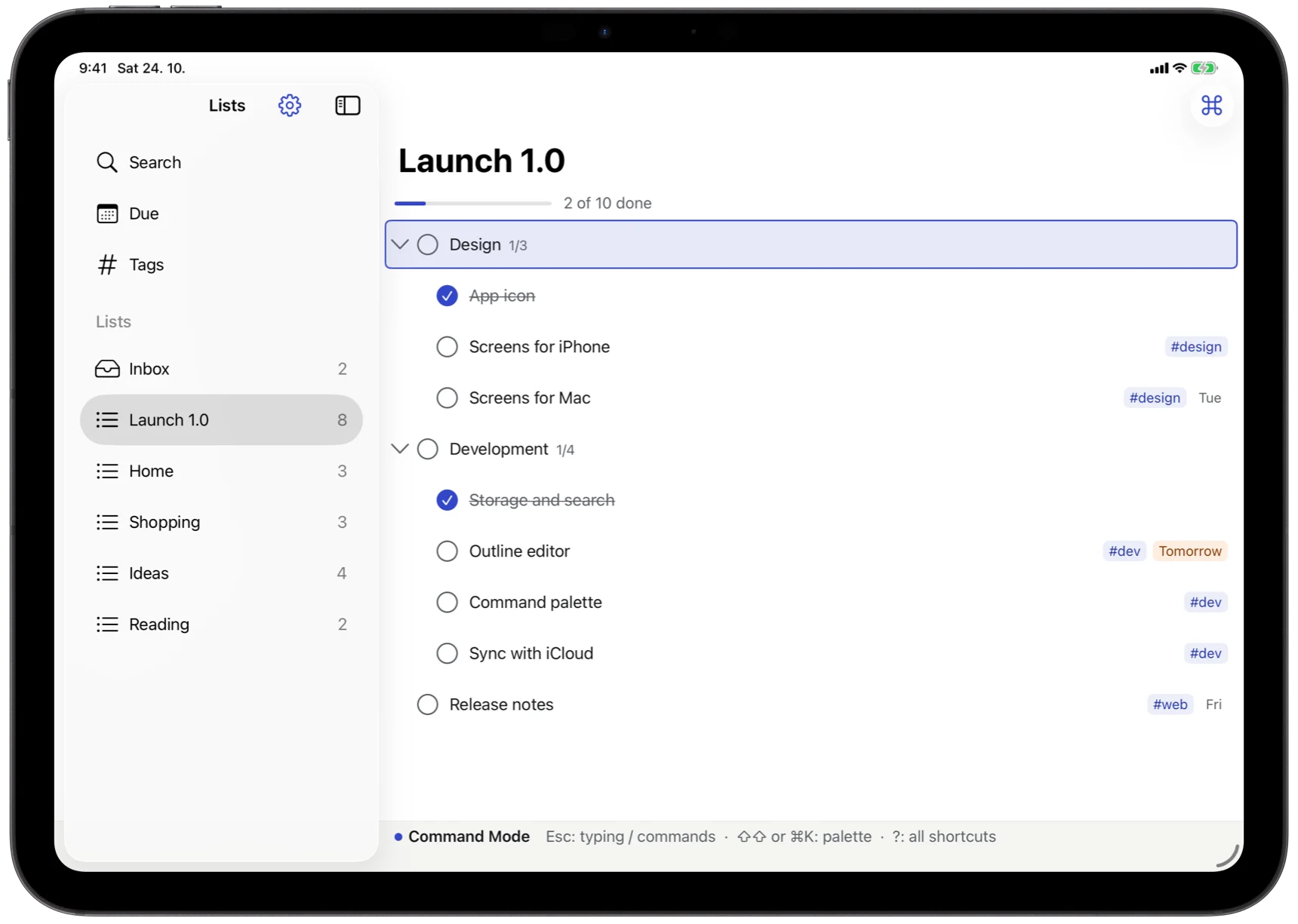
Type in a row, press Esc, and the keys become commands: ↑ ↓ to move, ⌘↑ to rearrange, Space to check off, ⇧→ to focus on one branch.
Beta coming to TestFlight
SilentList is an outliner and a task manager in one. Type a plan as you think it, fold what you are not working on, and give anything a date, a tag or a priority without leaving the line.
For iPhone, iPad, Mac and Apple Watch. No account, no analytics; your lists stay on your devices and in your own iCloud.

Keyboard first
Mouse and touch work everywhere, but they are never required. On a Mac or an iPad with a keyboard, you can run the whole app without lifting your hands.
Type in a row, press Esc, and the keys become commands: ↑ ↓ to move, ⌘↑ to rearrange, Space to check off, ⇧→ to focus on one branch.
dd sets a date, tt the tags, mm moves to another list, gd opens everything that is due. After the first key, a hint says what can follow.
⇧⇧ or ⌘K finds any command by name, with its keys beside it. ? shows every shortcut, with a search field.
Smart syntax
Write the task the way you would say it. The line under the row shows what SilentList understood before you leave it; leave it, and the tokens become chips.
^fri 18:00 | Due on Friday at six, with a reminder at that time |
^tomorrow · ^+3d · ^25 Oct | Due tomorrow, in three days, on a given day |
#home | A tag; any number of them |
!1 | Priority, from 1 to 9 |
#2h | How long it takes; the list's progress adds it up |
[] · ## · ---- | Checkboxes for the children, a heading, a separator line |
**bold** · [text](link) | Markdown, shown as you type it |
Czech words work too, whatever the language of the app: ^zítra, ^pá, ^25.10. Dictation understands “tomorrow at 6 pm hashtag home”.
Everywhere you are
Each device keeps the whole library and works offline. Changes meet in your private iCloud database, item by item and field by field, so two devices never overwrite each other.
| Device | What it adds |
|---|---|
| Mac | Menus generated from every command, several windows and tabs, the item inspector (⌥⌘I), and quick capture from any app with ⌃⌥Space. |
| iPad | The same keys with a hardware keyboard, the pointer, Stage Manager; touch without one. |
| iPhone | Swipes to check off and act, drag to move and change the level, a bar above the keyboard for indent, dates and tags, and tabs for Lists, Today and Search. |
| Apple Watch | Today and your lists to check off, a new task by dictation, complications and the Smart Stack. |
| Everywhere | Widgets you can check off in, Siri and Shortcuts (Add Task, Show Today's Tasks), the share sheet, a morning summary and reminders at an item's time. |
Yours
Your lists live in a database on each device and sync only through your own private iCloud. There is no SilentList server to read them.
Export a list, or every list at once, as OPML, Markdown or plain text — and import them back, from Checkvist too.
Learn by doing
Six parts take you from the first item to the power tools, in a practice list that never touches your own. Every step checks itself, and Show Me does it for you when you are stuck. The same lessons are here on the web.
Beta
The first builds go to a small group on TestFlight. Write if you would like to try it, or if something does not work as you expect.